Claude Lens - A Control Tower for Claude Code's Multi-Agent System
You spawn a team of agents. They fan out across your codebase — refactoring modules, writing tests, updating docs. Tokens burn. Tasks fly. And you're left staring at a terminal, wondering:
Is that agent stuck in a loop? How much has this cost me? Did the migration task actually finish?
There's no dashboard. No overview. Just raw .jsonl files and ~/.claude/tasks/ directories you'd have to cat like a caveman.
So I built one.
Claude Lens is a native desktop app that reads your ~/.claude/ directory and gives you a real-time control tower over everything Claude Code does — teams, agents, tasks, costs, conversations, settings, and system health.
It's open source, it's free, and if you're running multi-agent Claude Code, you probably need it.
Why I Built This
For single-agent sessions, the terminal is fine. But the moment you use multiple sessions or Claude Code's team feature — a lead agent recruiting teammates, assigning tasks, coordinating across files — your visibility drops to zero.
Here's what "monitoring" looked like before:
- Terminal output scrolling faster than you can read
- Manually inspecting JSON task files to check status
- No idea what your token spend is until the API bill arrives
- Digging through
.jsonlfiles to find what an agent said two days ago
Claude Lens replaces all of that with a single window.
Projects at a Glance
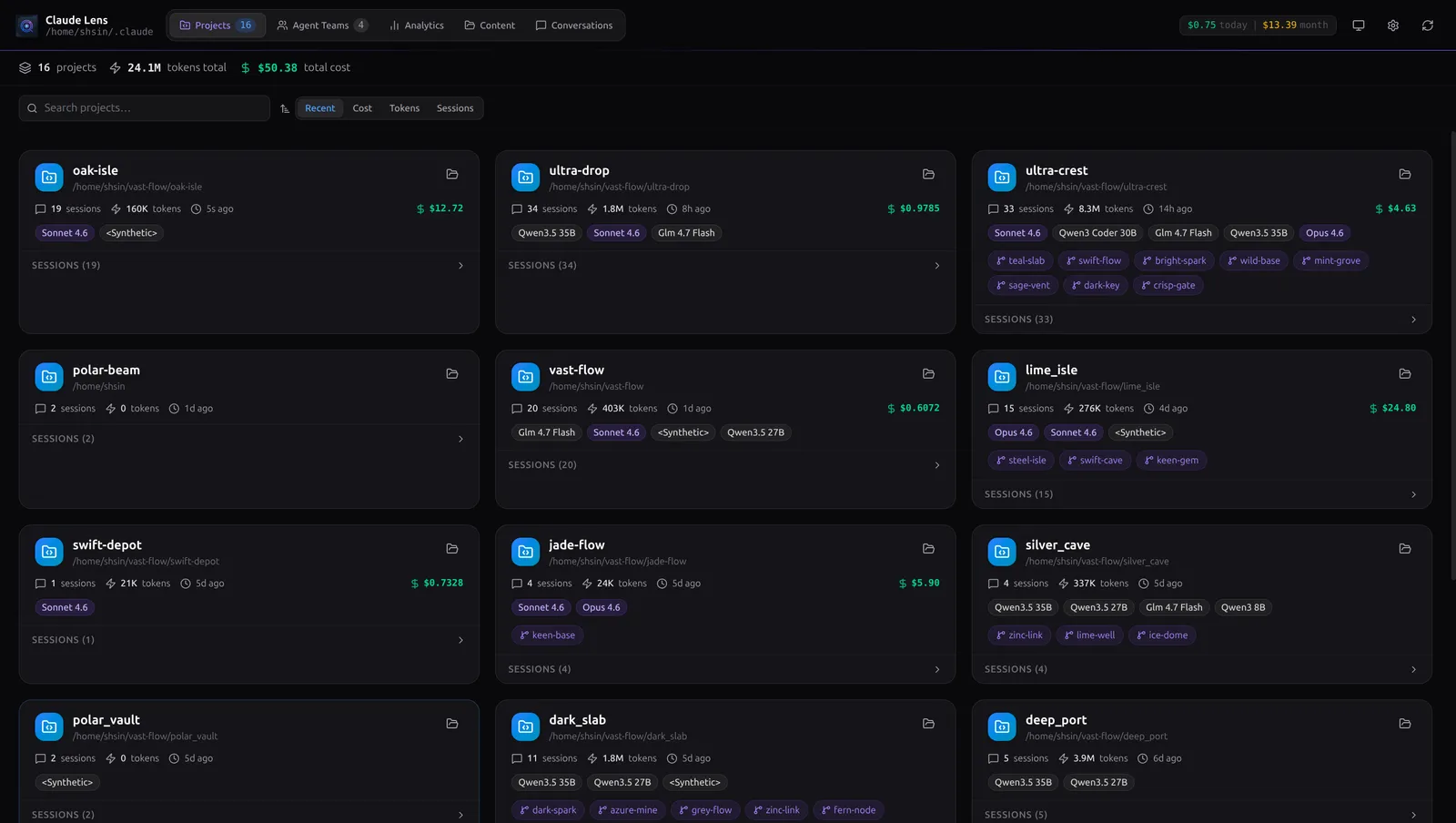
The Projects view surfaces every Claude Code project on your machine as a card — total tokens, session count, cost breakdown, and which models were used. Sort by recency, cost, or token count. Click into any project to see its sessions.
Agent Teams: Three Ways to See Your Swarm
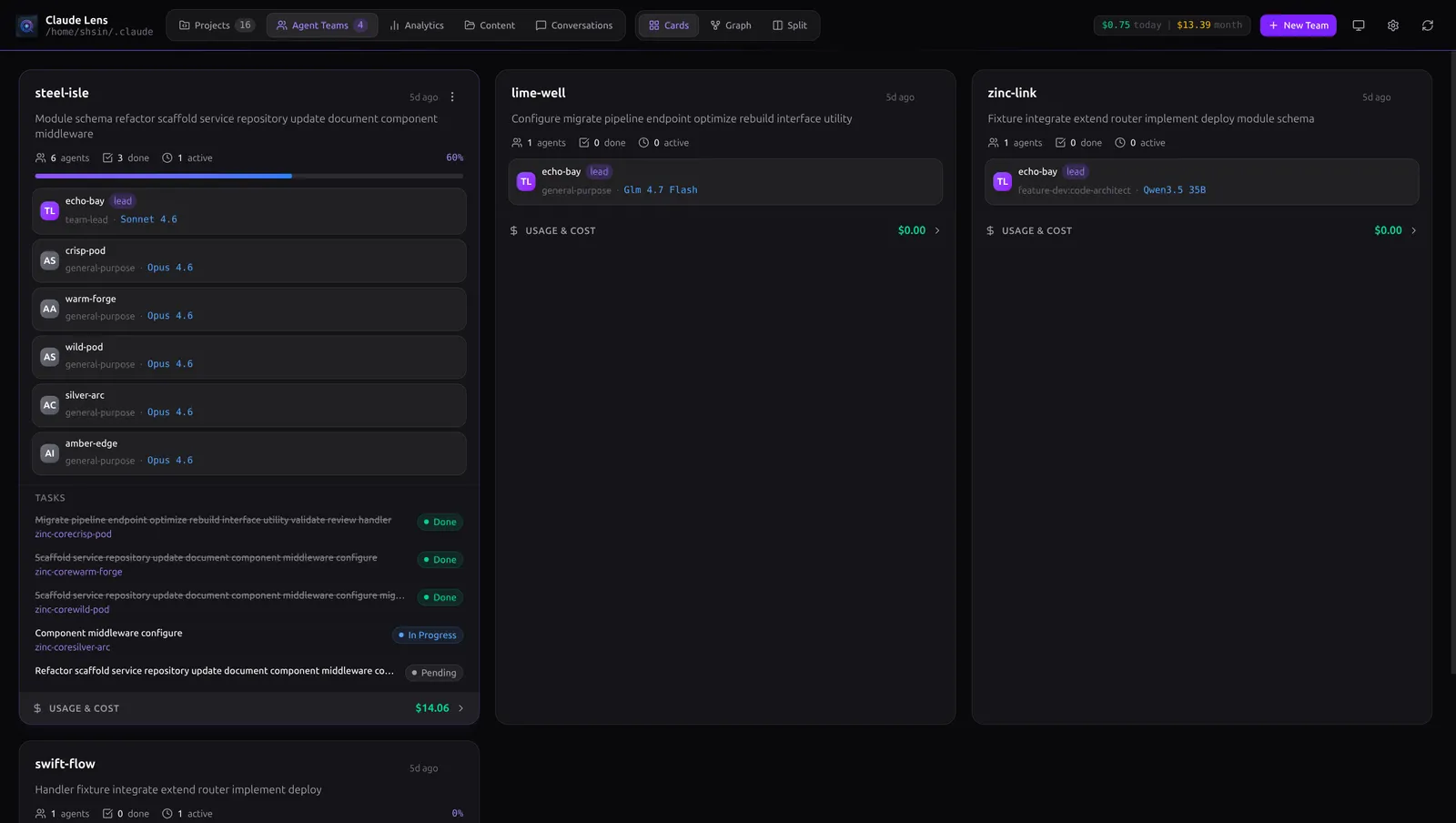
The Agent Teams view is the nerve center. Choose the layout that fits your brain:
Card View gives you a responsive grid — progress bars, agent counts, model badges, task lists, and live cost tracking per team.
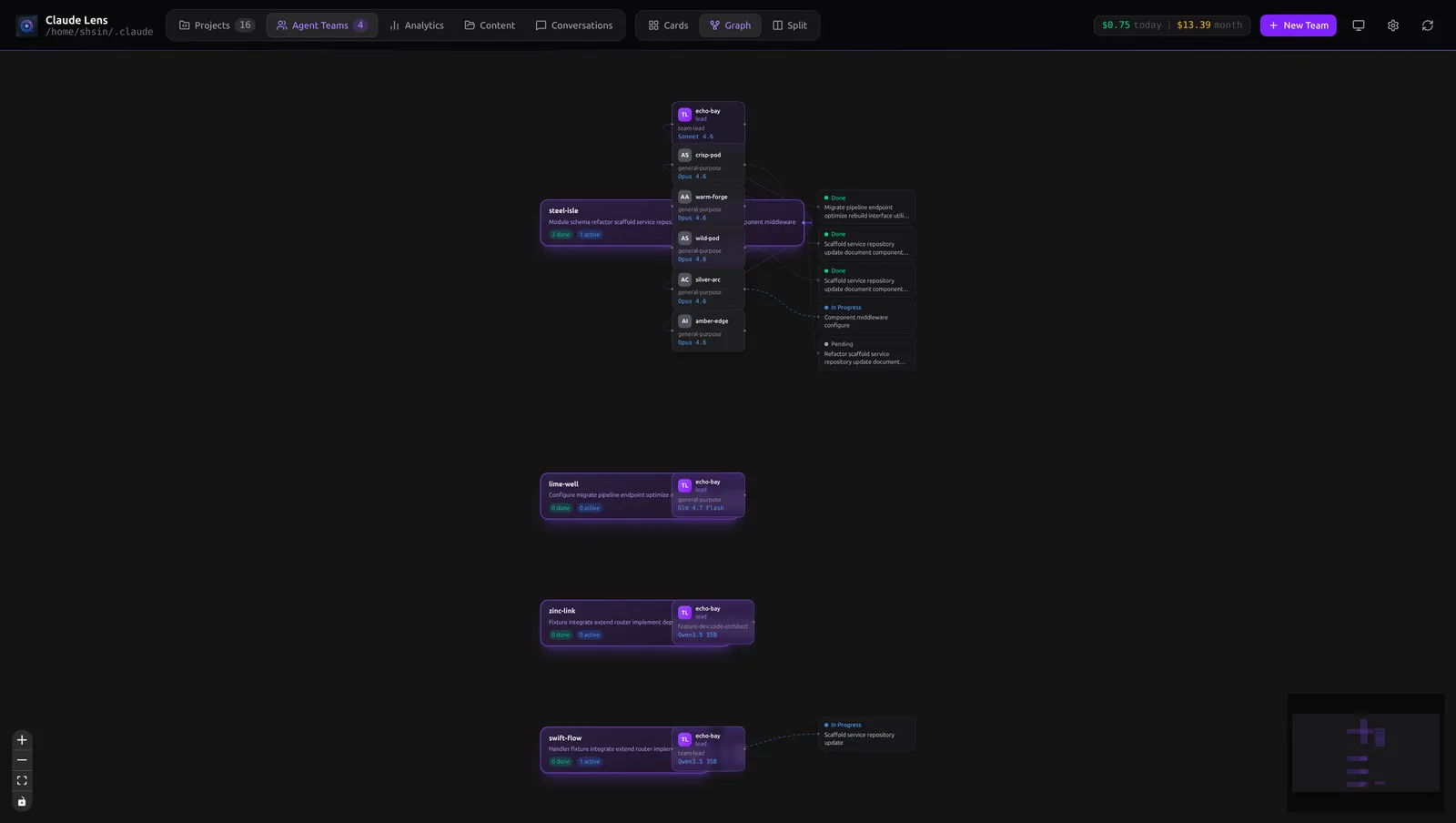
Graph View renders your entire team topology as an interactive node graph. Violet edges for team-agent links, animated blue pulses for in-progress tasks, dashed orange for blocking dependencies. Click any node to inspect it.
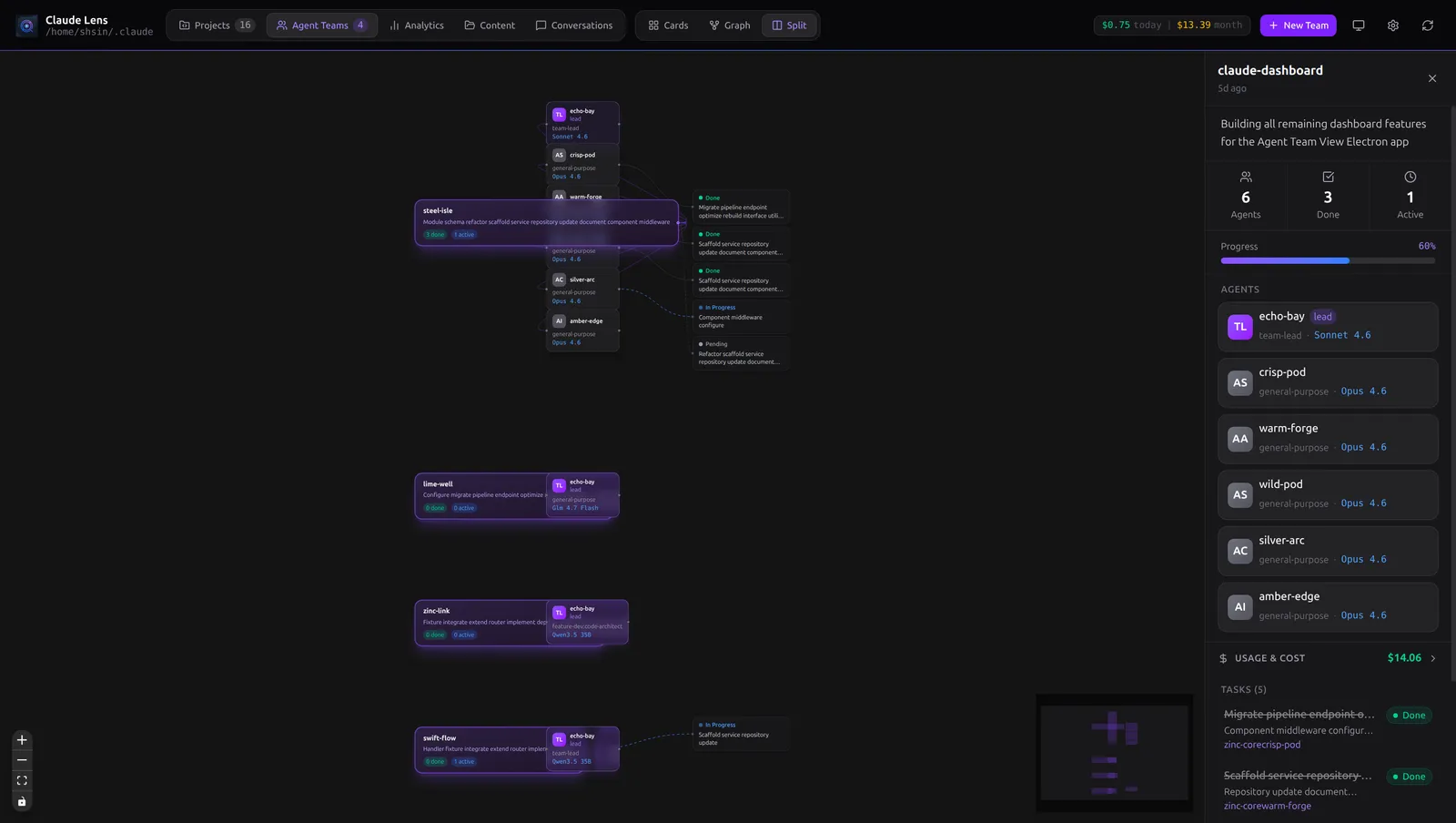
Split View — graph on the left, detail panel on the right. The pragmatist's layout.
Need a new team? Hit New Team in the toolbar. Name it, describe it, click Create. No terminal required.
Analytics That Actually Tell You Something
Five tabs of insight into your AI usage patterns.
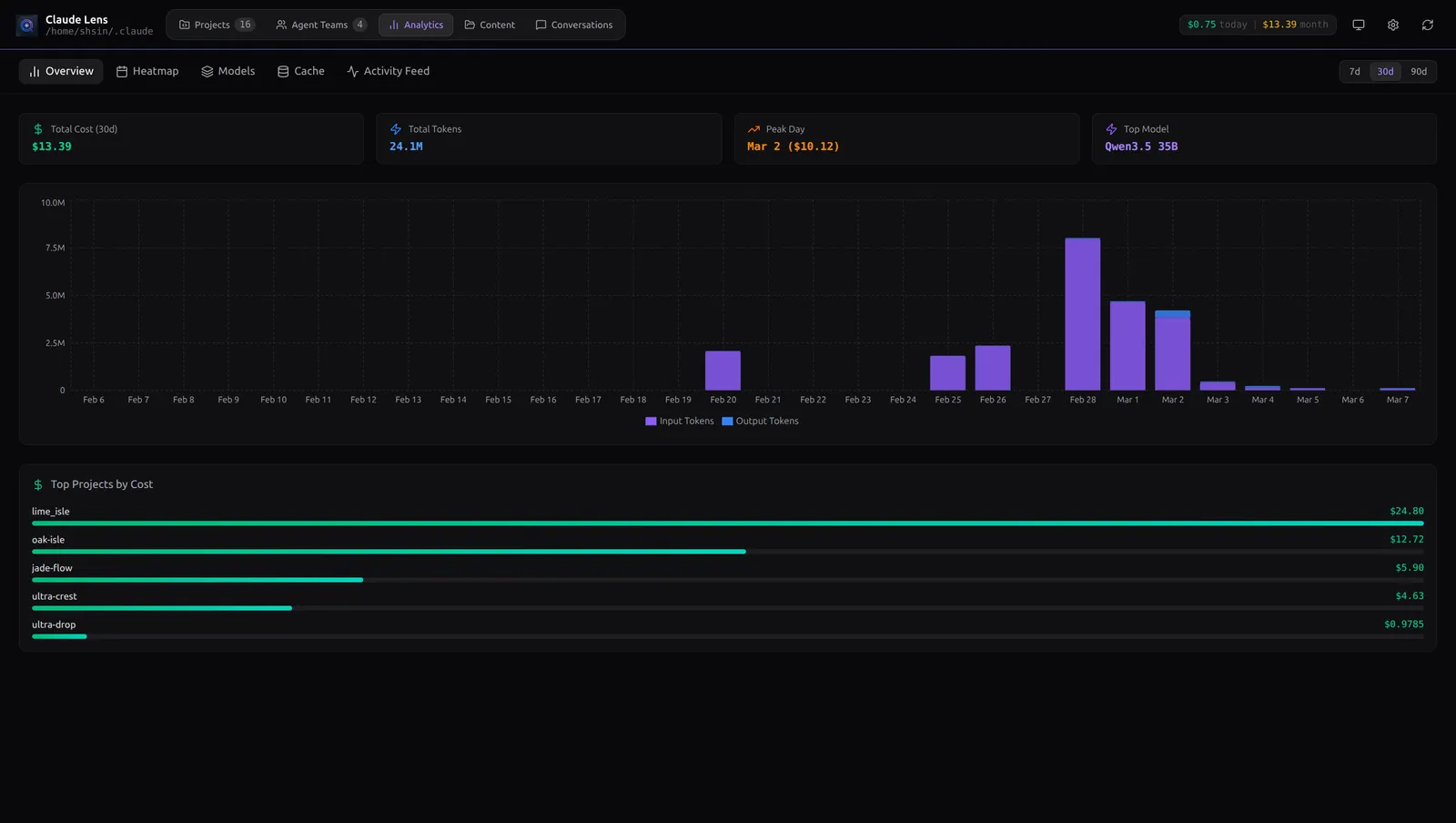
Overview — Token volume and daily cost as a stacked bar chart. Pick your window: 7, 30, or 90 days. The Top Projects by Cost panel shows your biggest spenders instantly.
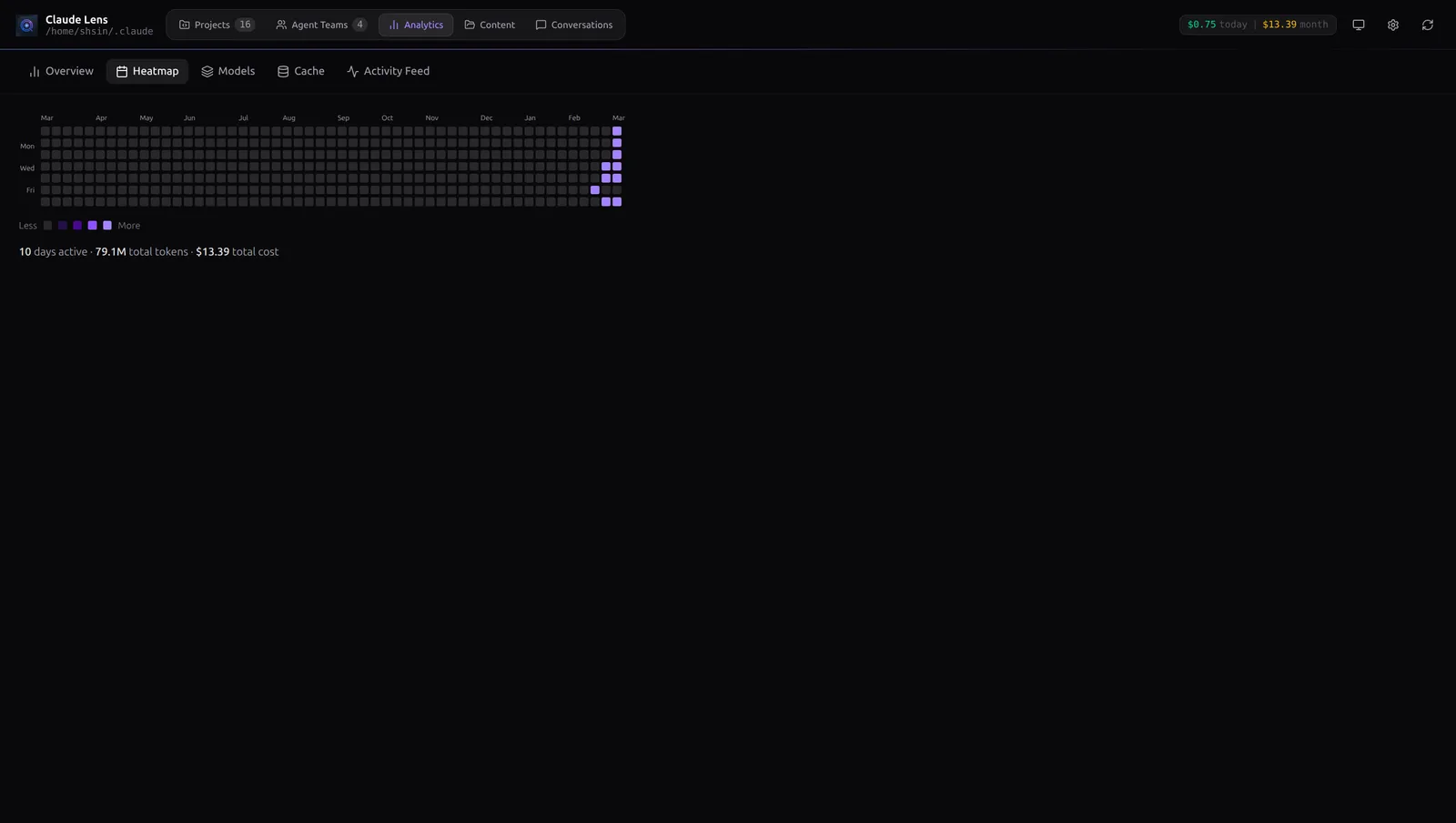
Heatmap — A GitHub-style contribution calendar for your Claude Code usage. Spot your heaviest days at a glance.
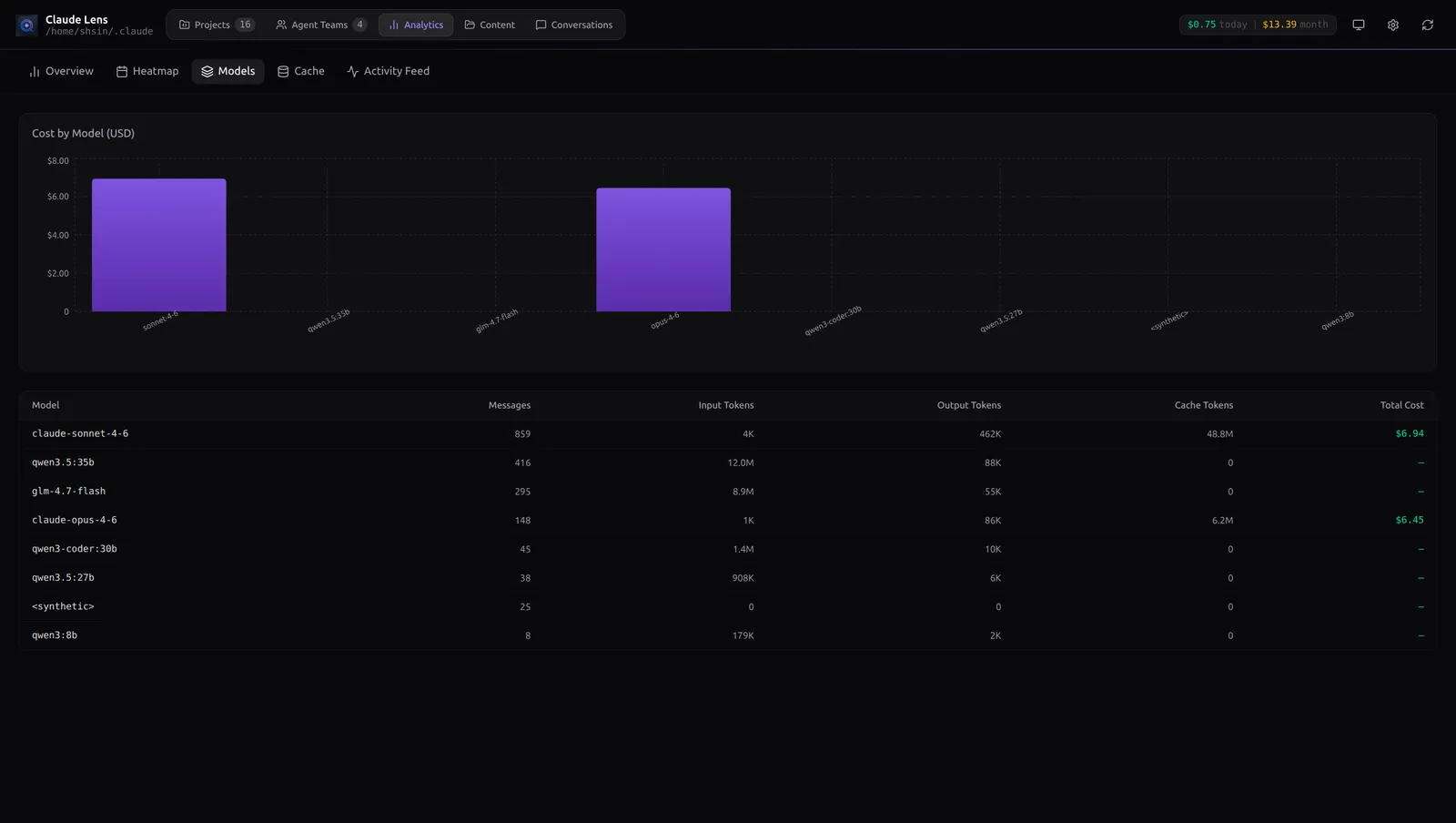
Models — Side-by-side comparison of every model you've used: message counts, token volumes, cache utilization, and total cost. Are you getting your money's worth out of Opus? Find out here.
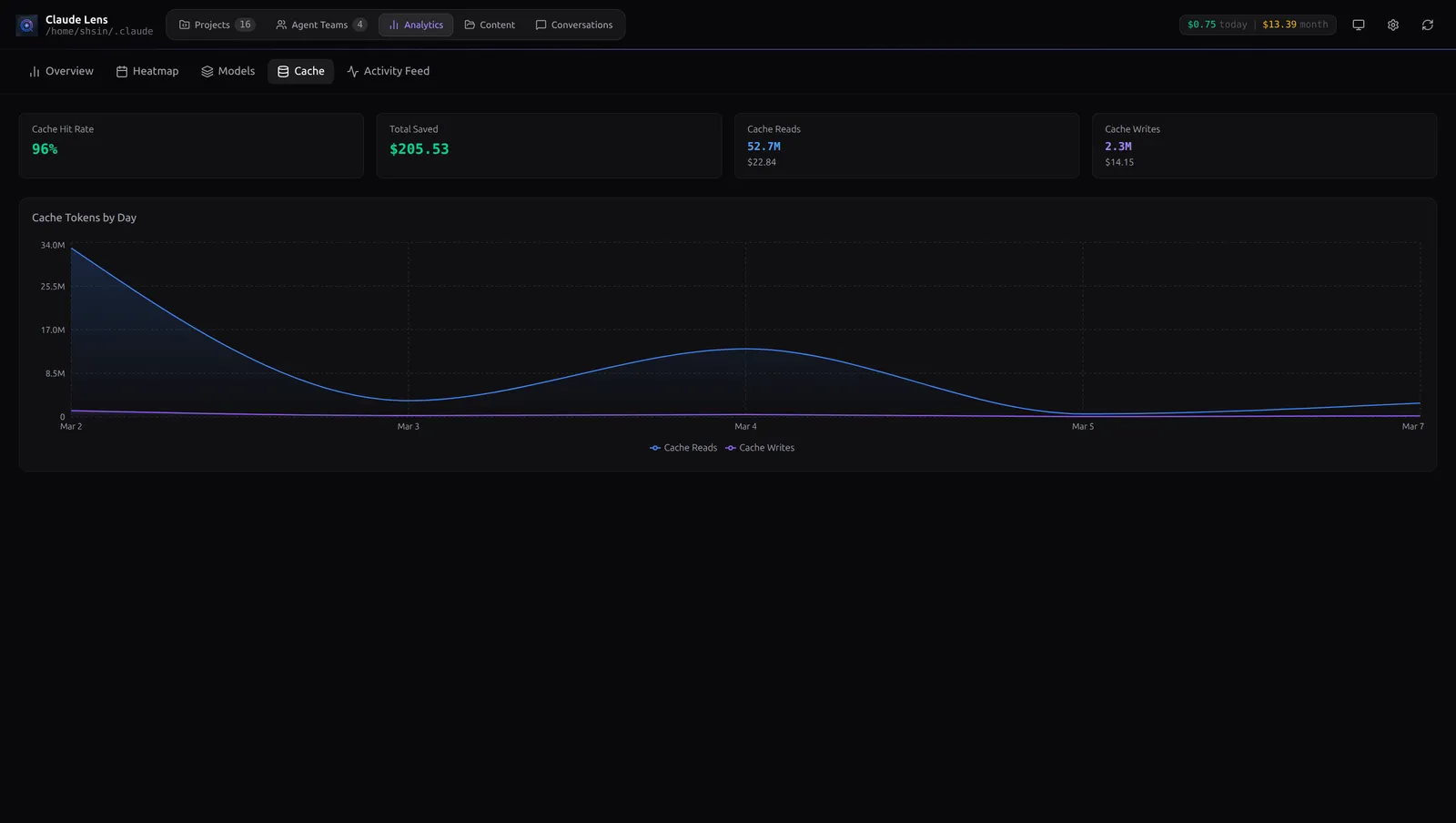
Cache — Your cache hit rate, total dollars saved from cache reads, and a daily area chart of cache write vs. read tokens. A 96% hit rate means your agents are sharing context efficiently — and you're paying dramatically less.
All tabs lazy-load on first visit and silently refresh every 30 seconds, pausing automatically when you switch away.
Conversations Without the JSONL Archaeology
Ever needed to re-read what an agent said during a session three days ago? Good luck parsing raw JSONL by hand.
Claude Lens gives you a collapsible project tree with every session listed. The conversation thread renders with proper user/assistant bubbles, expandable tool-use blocks, token counts, and per-session cost in the sidebar.
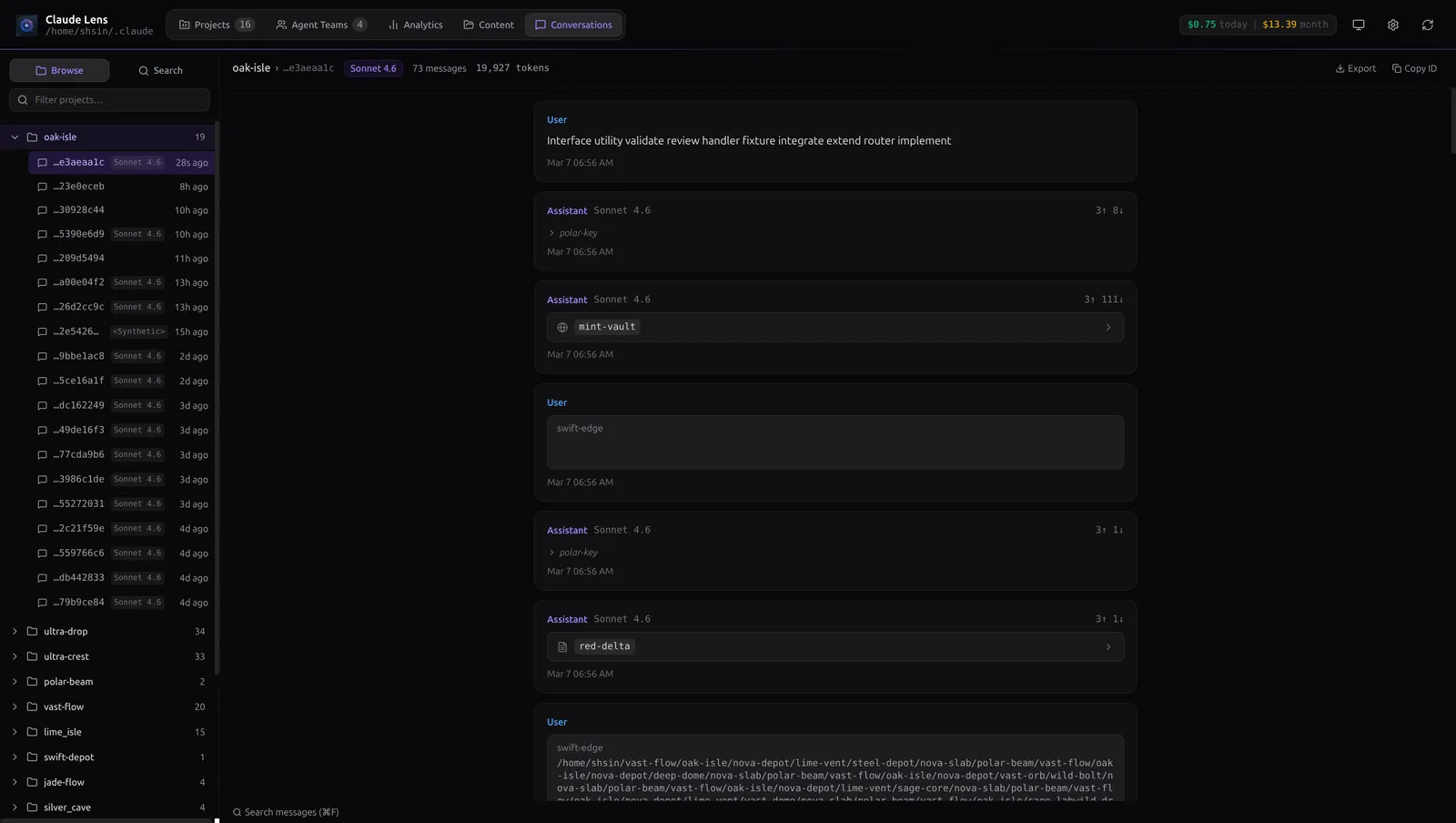
Browse / Search — the sidebar has a two-mode toggle. In Browse mode you navigate the project tree. Flip to Search and you get full-text search across every JSONL session on disk — debounced, with highlighted snippets. Click a result and the conversation opens instantly.
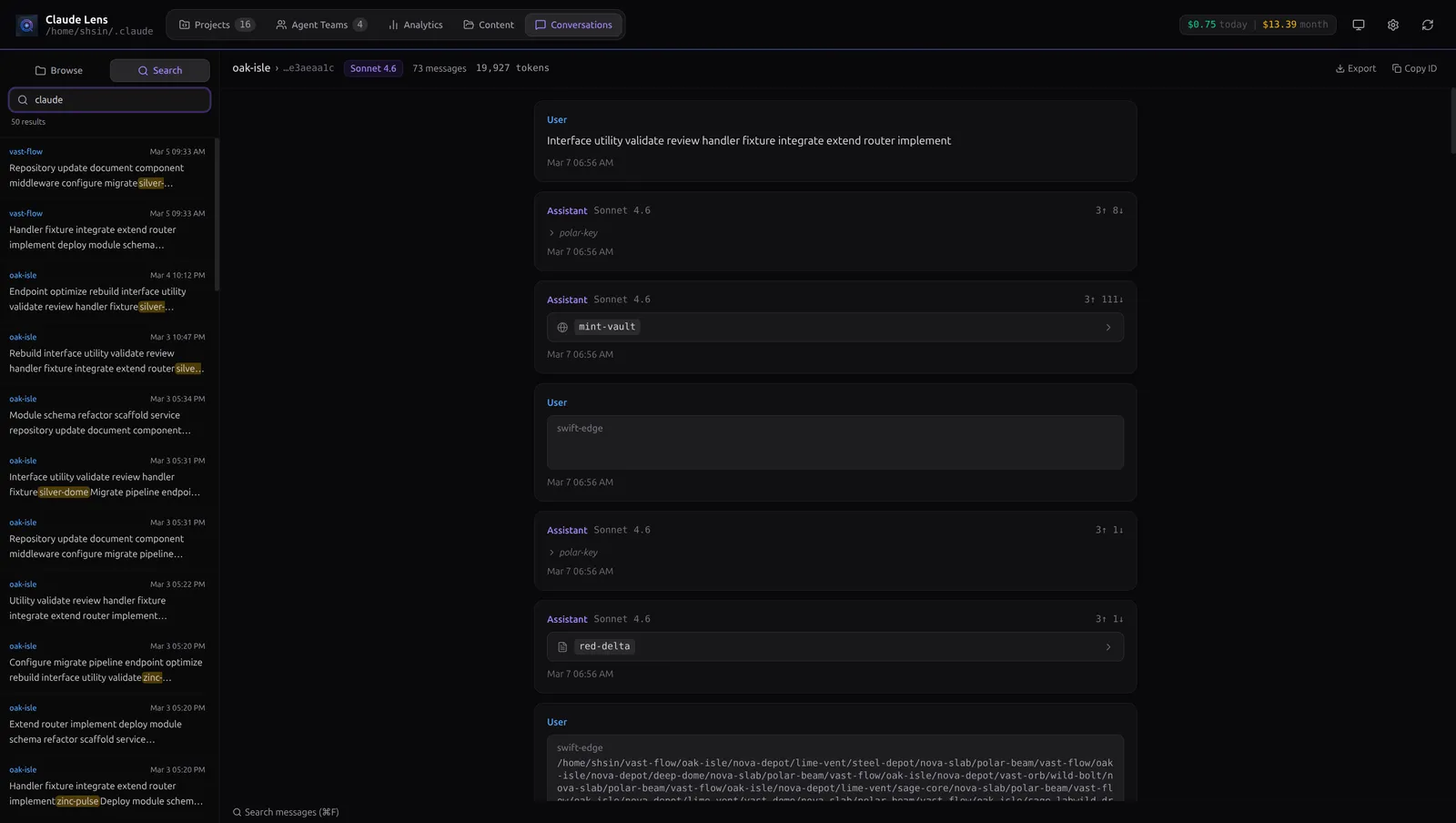
Ctrl+F opens an inline search bar that highlights every match across the thread. Export as Markdown dumps the full conversation as a clean .md file.
Content: Memory, Plans, and Todos
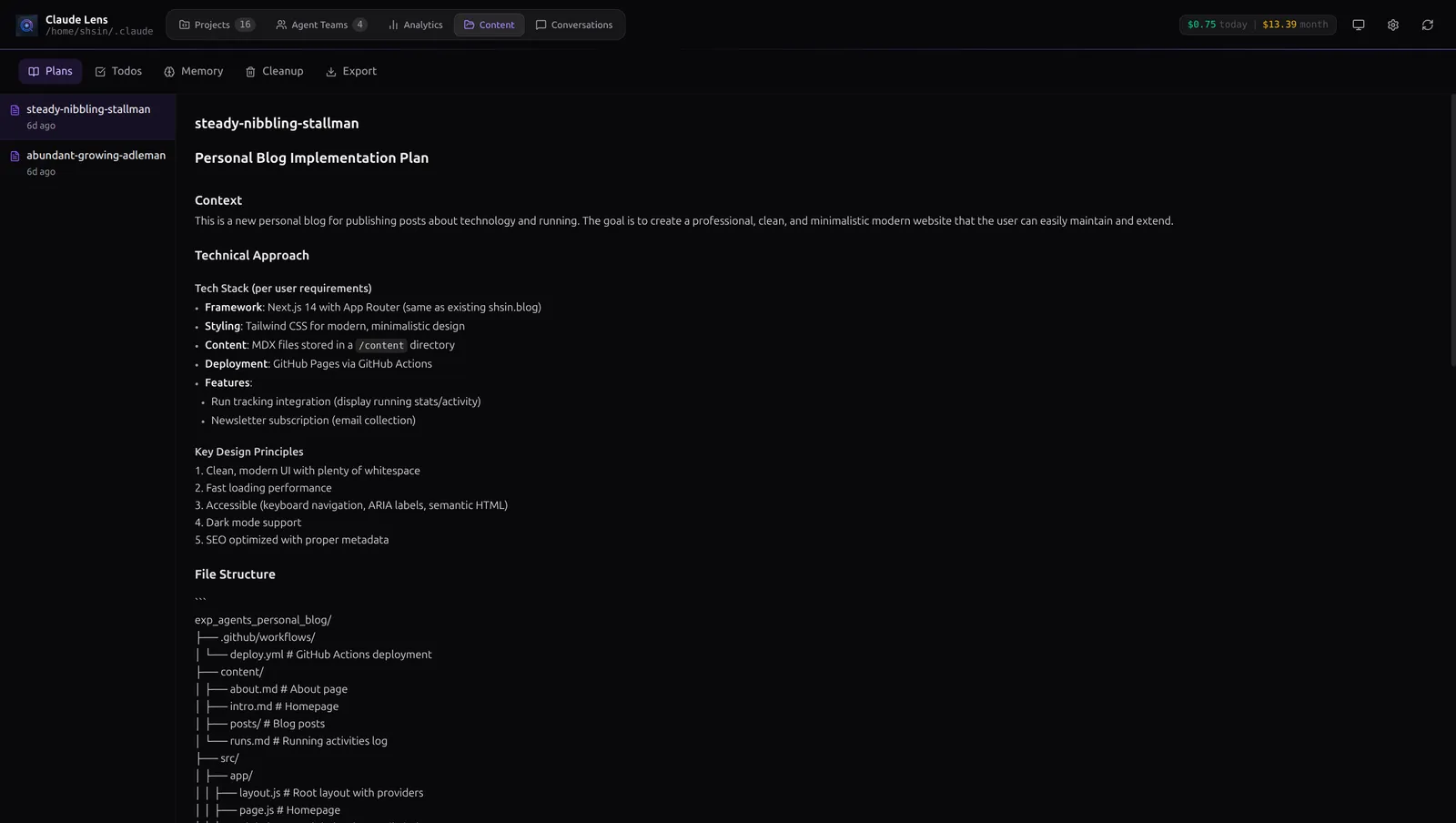
The Content view surfaces Claude Code's internal state — memory files, active plans, and todo lists — in a readable format. No more hunting through hidden directories to see what your agent "remembers."
Settings Without the JSON Editing
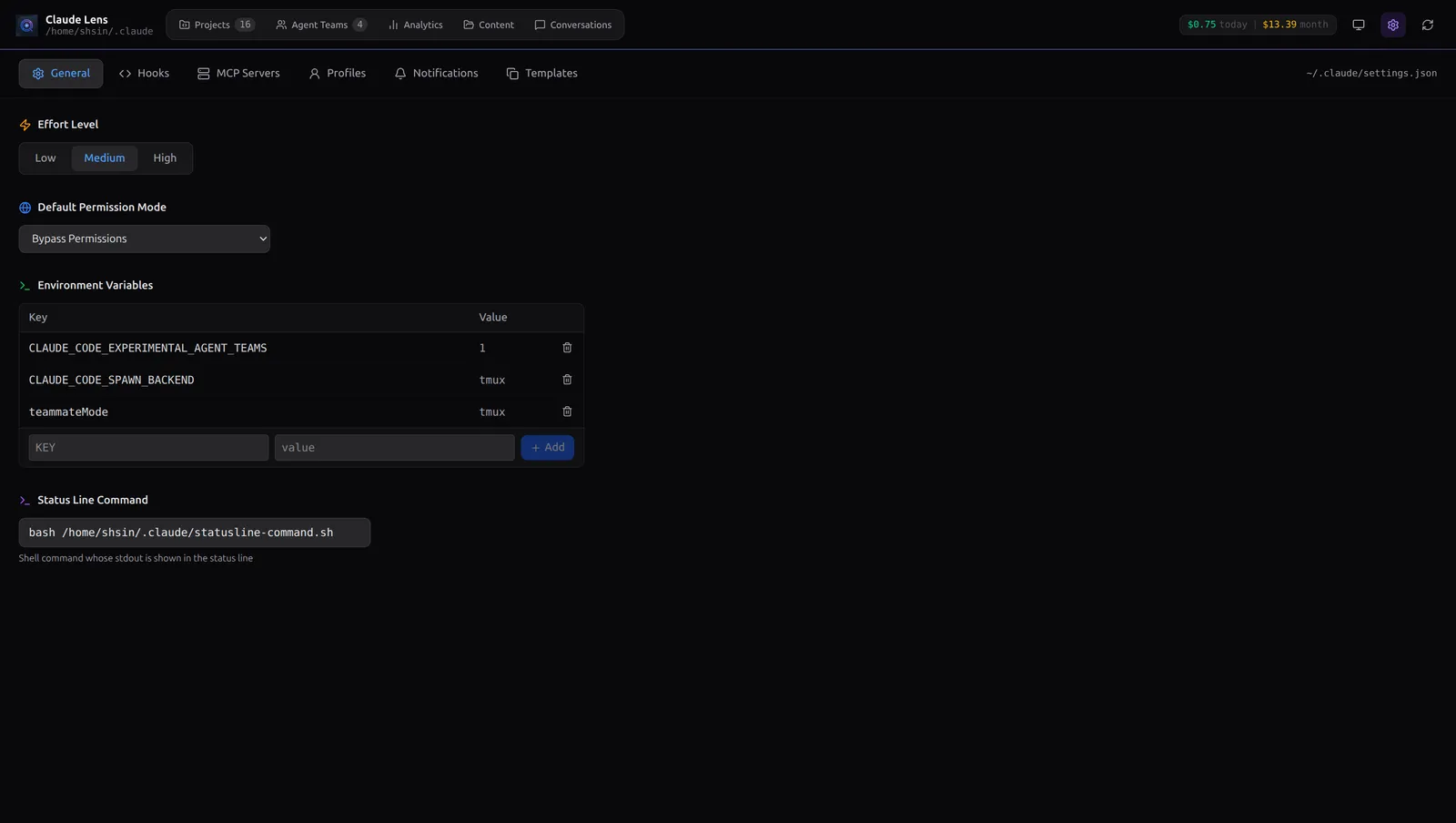
A full GUI over ~/.claude/settings.json:
General — Effort levels, permission modes, environment variables, and status line commands. All dropdowns and toggles, no text editor.
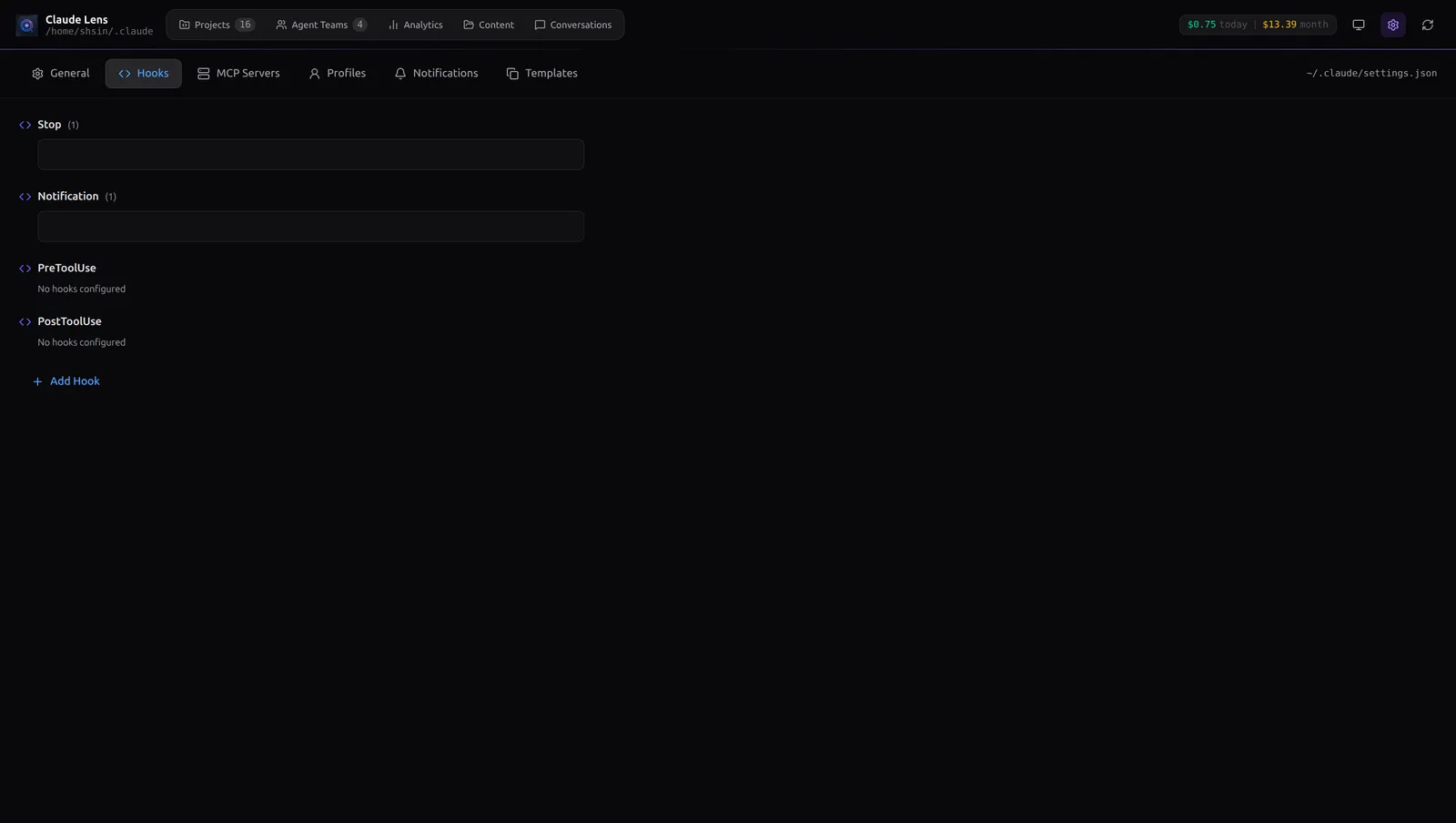
Hooks — Manage your Pre/Post tool-use hooks with an inline test runner. Click play, see stdout/stderr and exit codes live. No more switching to a terminal to debug your Slack webhook.
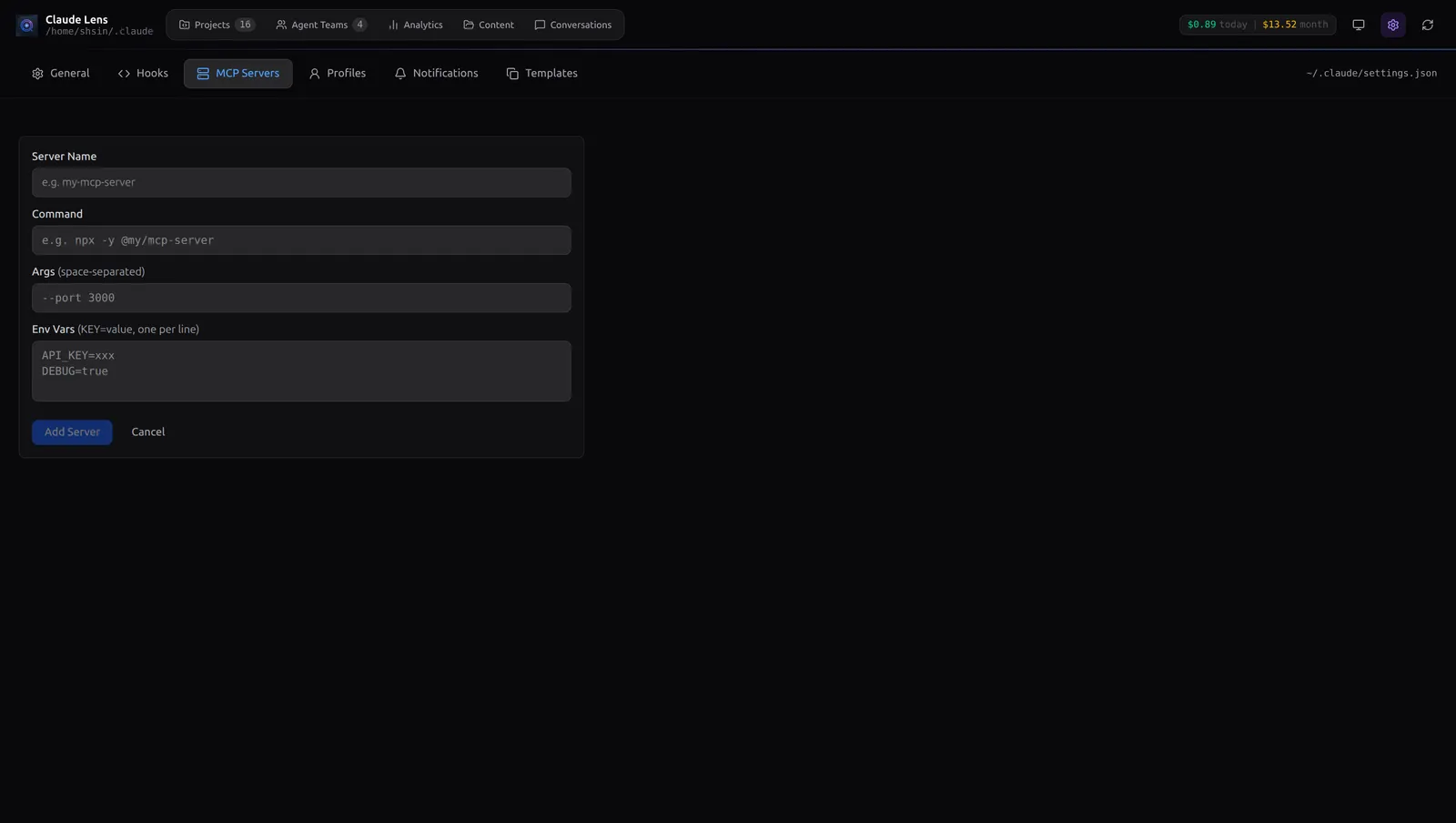
MCP Servers — Add and configure servers with a clean form.
Profiles & Templates — Snapshot your settings or save your favorite multi-agent topology as a reusable template.

Budget Alerts (Save Your Wallet)
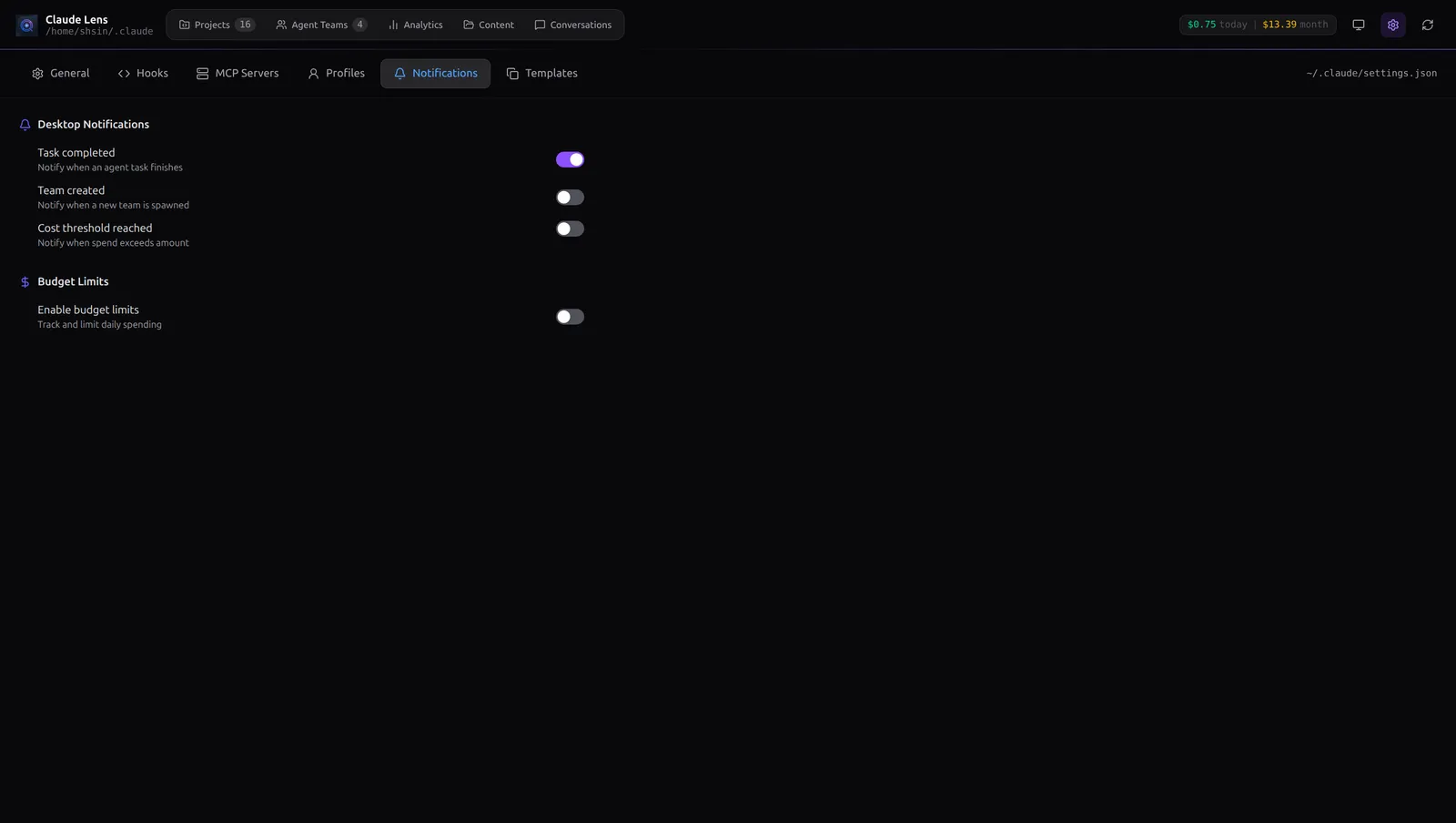
Set a daily USD limit. Claude Lens gives you a soft warning at your threshold and a hard alert when you hit the cap. Don't let a rogue autonomous agent drain your API credits overnight.
Native OS notifications fire when tasks complete or teams are created — even when the app is in the background.
The toolbar always shows your today and 30-day spend at a glance, color-coded green to red as costs climb.
System: Kill Rogue Agents
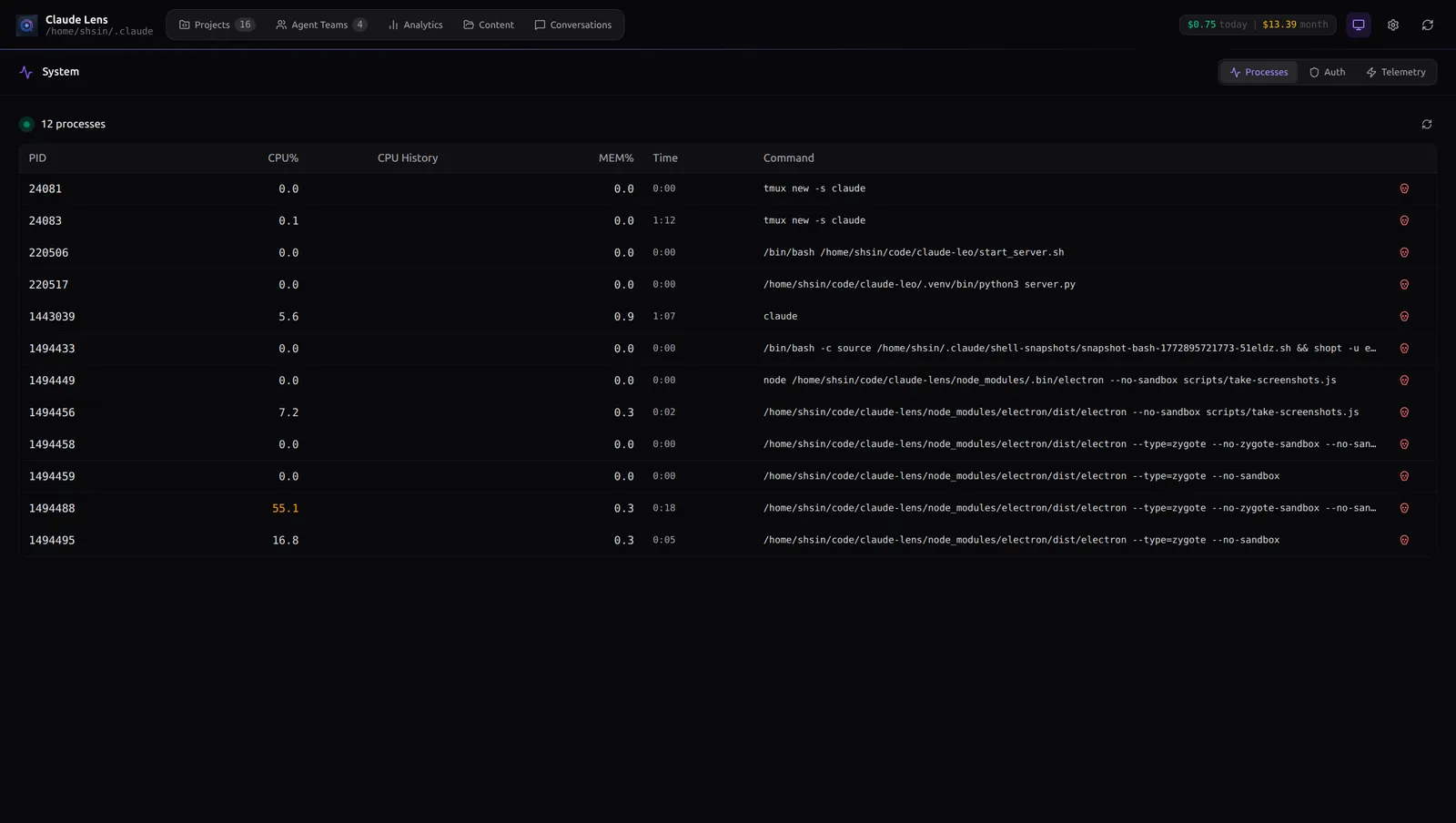
The System view shows a live process table of every claude session on your machine. Each row has a CPU sparkline — a rolling 60-second mini-graph so you can tell at a glance whether a process is pegged at 100% or just idling. One click to kill it.
Auth monitoring warns you before your token expires. The Telemetry tab shows recent events.
Keyboard-First Navigation
| Shortcut | Action |
|---|---|
1 |
Projects |
2 |
Agent Teams |
3 |
Analytics |
4 |
Content |
5 |
Conversations |
6 |
System |
7 |
Settings |
r |
Refresh data |
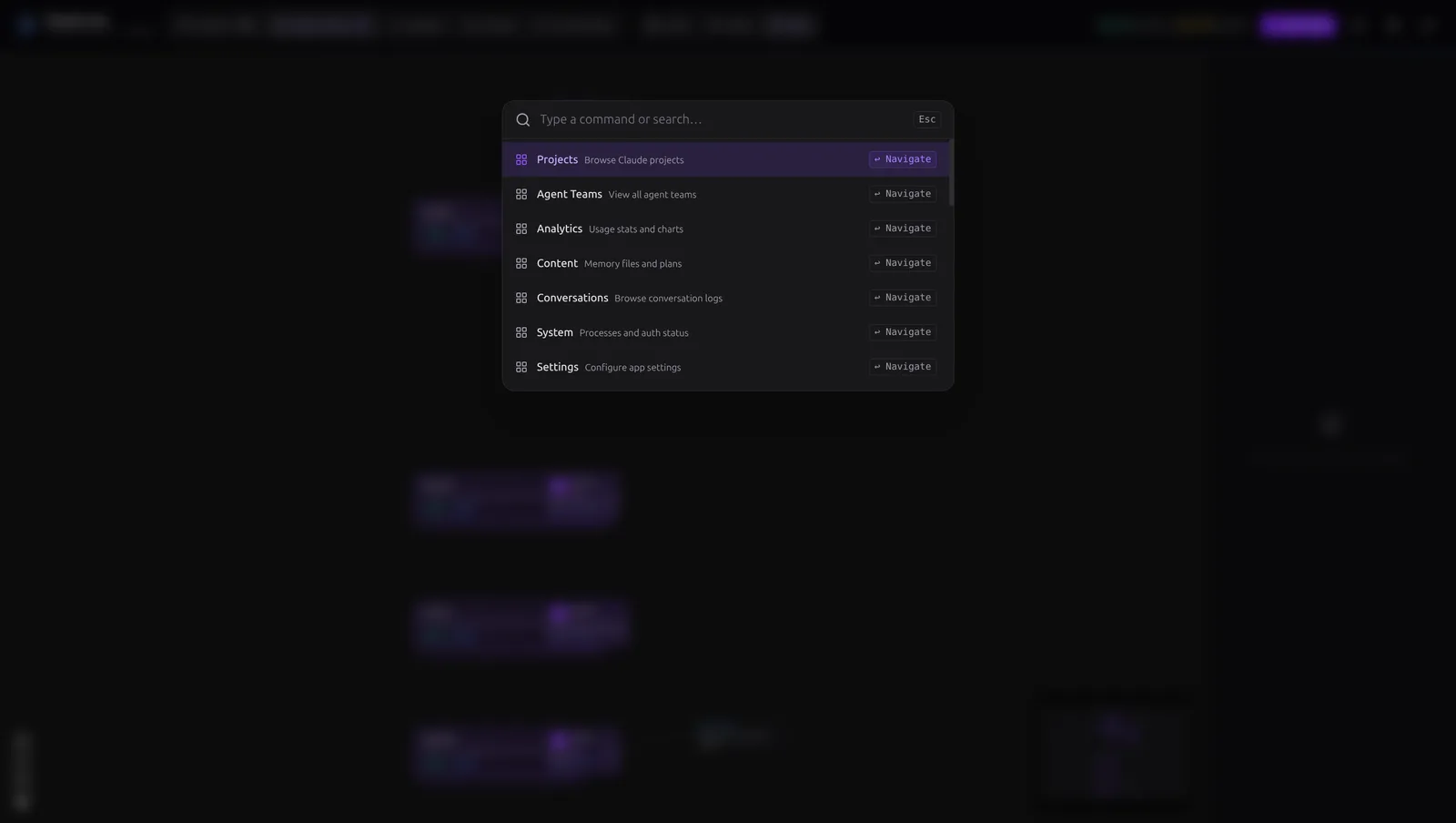
Ctrl+K / Cmd+K |
Command palette |
Ctrl+F |
Search current conversation |
Escape |
Close palette / modal |
Under the Hood
Claude Lens is a read-mostly companion. It never writes to your Claude Code state or interferes with running agents.
A lightweight Node.js main process watches the filesystem with chokidar, handles JSONL scanning and deduplication (Claude Code's streaming writes can massively overcount if you're not careful), and pushes updates via IPC to the React frontend.
The stack: Electron 40 / React 19 / TypeScript / Tailwind CSS v4 / Recharts / React Flow
Get Started
git clone https://github.com/shansin/claude-lens.git
cd claude-lens
npm install
npm run dev
That's it. If you've used Claude Code before, the app reads from ~/.claude/ and your dashboard is live immediately.
For production builds (macOS .dmg, Windows NSIS, Linux AppImage + deb):
npm run build
Is This For You?
If you run multi-agent Claude Code teams, care about your API costs, or want a civilized way to browse conversations and manage settings without hand-editing JSON — yes.
Stop flying blind. Know exactly what every agent is doing, what it costs, and what happened.
Claude Lens is open source under the ISC license. Contributions welcome.